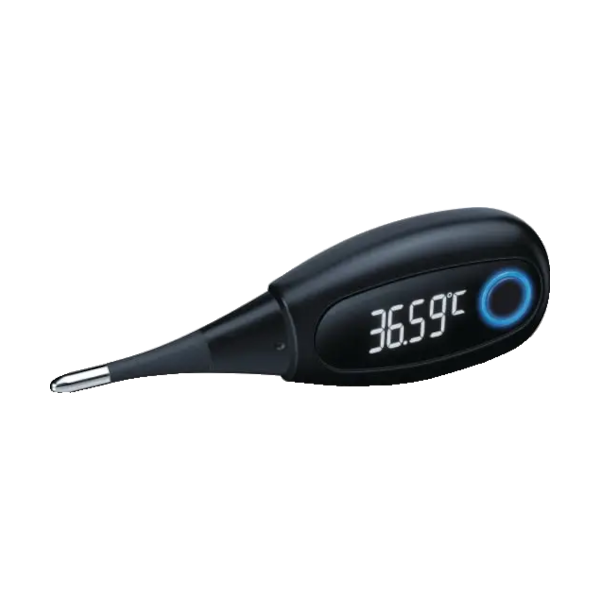
Beurer OT 30 Bluetooth Basal Thermometer Compatible App for iOS and Android
The Beurer OT 30 Bluetooth Basal Thermometer seamlessly pairs with the MedM Health Diary app, enabling automatic capture and secure storage of temperature measurements. Each reading taken with the Beurer OT 30 can be transferred directly to the user’s smartphone or tablet. For registered users, the captured data can also be safely backed up to the MedM Health Cloud, ensuring encrypted protection and long-term accessibility across devices.
The MedM app supports users with optional reminders for routine measurements, intuitive charts, and clear visualization tools that simplify body temperature tracking. This makes it easier to observe patterns, identify fertile windows, or monitor overall wellness trends.
Premium members get access to extended features such as gconfigurable thresholds, customizable notifications, PDF reports, data sharing options, and integration with major health ecosystems including Apple Health, Google Health Connect, and Samsung Health.
MedM Health


Download MedM Health:
The Beurer OT 30 Bluetooth Basal Thermometer seamlessly pairs with the MedM Health Diary app, enabling automatic capture and secure storage of temperature measurements. Each reading taken with the Beurer OT 30 can be transferred directly to the user’s smartphone or tablet. For registered users, the captured data can also be safely backed up to the MedM Health Cloud, ensuring encrypted protection and long-term accessibility across devices.
The MedM app supports users with optional reminders for routine measurements, intuitive charts, and clear visualization tools that simplify body temperature tracking. This makes it easier to observe patterns, identify fertile windows, or monitor overall wellness trends.
Premium members get access to extended features such as gconfigurable thresholds, customizable notifications, PDF reports, data sharing options, and integration with major health ecosystems including Apple Health, Google Health Connect, and Samsung Health.
How to Connect Beurer OT 30 with MedM App
-
Open the app → in the bottom Tab Bar, select Devices
-
Tap the “+” button to start Bluetooth discovery
-
Power on your Beurer OT 30 Basal thermometer so it enters the Bluetooth pairing mode
-
When the app detects the Beurer OT 30 thermometer, tap on its image, configure device settings, and select Add to My Devices
-
After successful pairing, a confirmation message will appear in the app
-
The connected Beurer OT 30 basal thermometer will now show up in your Devices list
-
Make a new measurement to collect new temperature data in the app
Beurer OT 30 Characteristics
More info: www.shop-beurer.com


