Omron 7 Series BP7350 BPM Compatible App for iOS and Android
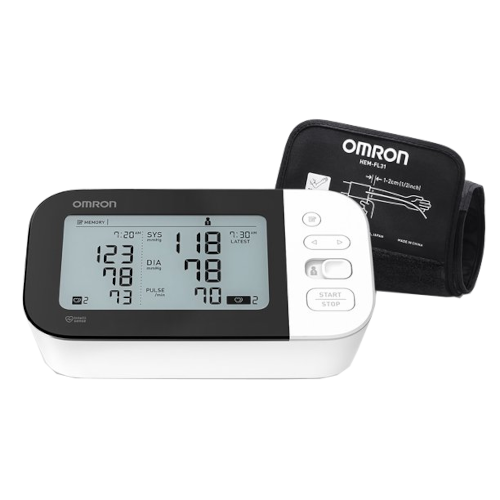
While MedM is not affiliated with, recommended or approved by Omron, the 7 Series BP7350 upper arm blood pressure monitor integrates with the MedM Health Diary app, enabling automatic capture and management of blood pressure readings. App users are not required to register accounts. Measurements taken with the BP7350 monitor can be transmitted via Bluetooth to a smartphone or tablet, allowing users to maintain accurate and structured health records. For registered users, data is also securely backed up in the encrypted MedM Health Cloud.
With MedM Health, users can set reminders for regular blood pressure monitoring or medication intake, review trends through charts, and enrich individual readings with notes or tags for better context and tracking. The platform also supports exporting data in CSV format for external analysis or sharing with healthcare professionals.
MedM Premium enhances functionality with more features such as customizable goals and thresholds, configurable notifications, PDF reports, secure access sharing, remote monitoring capabilities, and integration with major health ecosystems including Apple, Google, and Samsung.
MedM Health


Download MedM Health:
While MedM is not affiliated with, recommended or approved by Omron, the 7 Series BP7350 upper arm blood pressure monitor integrates with the MedM Health Diary app, enabling automatic capture and management of blood pressure readings. App users are not required to register accounts. Measurements taken with the BP7350 monitor can be transmitted via Bluetooth to a smartphone or tablet, allowing users to maintain accurate and structured health records. For registered users, data is also securely backed up in the encrypted MedM Health Cloud.
With MedM Health, users can set reminders for regular blood pressure monitoring or medication intake, review trends through charts, and enrich individual readings with notes or tags for better context and tracking. The platform also supports exporting data in CSV format for external analysis or sharing with healthcare professionals.
MedM Premium enhances functionality with more features such as customizable goals and thresholds, configurable notifications, PDF reports, secure access sharing, remote monitoring capabilities, and integration with major health ecosystems including Apple, Google, and Samsung.
How to Connect Omron 7 Series BP7350 with MedM App
- Open the app menu -> select My Devices -> tap Add Device
- Press and hold the Bluetooth button on the Omron 7 Series BP7350 unit's back side until the "P" symbol starts flashing
- Once the Omron 7 Series BP7350 monitor is discovered - select it, configure device settings, and tap Add to My Devices
- Upon successful pairing a corresponding popup will appear
- The paired Omron 7 Series BP7350 BPM will be listed on the My Devices screen
- Make a measurement on the Omron 7 Series BP7350 meter to collect new data in the app
Please note that the app has to be running in foreground or background (configurable in settings) to receive new readings from the Omron 7 Series BP7350 blood pressure monitor.
Omron 7 Series BP7350 Characteristics
AC adapter: IP21
Pulse: ±5% of display reading
More info: omronhealthcare.com


