Omron HEM-9210T BPM Compatible App for iOS and Android
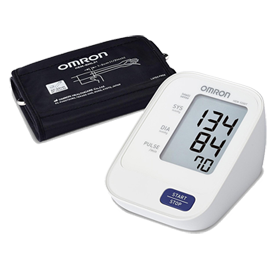
While MedM is not affiliated with or approved by Omron, the HEM-9210T professional upper arm blood pressure monitor works seamlessly with the MedM Health Diary app, enabling automatic collection and management of blood pressure readings. Registration is not required in the MedM app. Measurements taken with the HEM-9210T unit are transmitted via Bluetooth to a connected smartphone or tablet, helping users maintain accurate records without manual entry. For registered users, however, data is also securely backed up in the encrypted MedM Health Cloud.
With MedM Health, users can schedule reminders for regular measurements or medication intake, review their data through clear visual charts, and enhance records with notes or tags for better context. The platform also supports exporting readings in CSV format for further analysis or sharing with healthcare providers.
MedM Premium extends functionality with advanced features such as customizable goals and thresholds, smart notifications, PDF reporting, secure data sharing, and remote monitoring capabilities. Integration with major health platforms including Apple, Google, and Samsung ensures seamless synchronization of health data across multiple devices.
MedM Health


Download MedM Health:
While MedM is not affiliated with or approved by Omron, the HEM-9210T professional upper arm blood pressure monitor works seamlessly with the MedM Health Diary app, enabling automatic collection and management of blood pressure readings. Registration is not required in the MedM app. Measurements taken with the HEM-9210T unit are transmitted via Bluetooth to a connected smartphone or tablet, helping users maintain accurate records without manual entry. For registered users, however, data is also securely backed up in the encrypted MedM Health Cloud.
With MedM Health, users can schedule reminders for regular measurements or medication intake, review their data through clear visual charts, and enhance records with notes or tags for better context. The platform also supports exporting readings in CSV format for further analysis or sharing with healthcare providers.
MedM Premium extends functionality with advanced features such as customizable goals and thresholds, smart notifications, PDF reporting, secure data sharing, and remote monitoring capabilities. Integration with major health platforms including Apple, Google, and Samsung ensures seamless synchronization of health data across multiple devices.
How to Connect Omron HEM-9210T with MedM App
How to activate paiting mode on HEM-9210T:
Option 1. Remove batteries, wait about 15-20 seconds and insert them back -> the letter "P" should appear on the monitor screen
Option 2. Remove batteries, click 5 times on the Power button and insert batteries back -> the letter "P" should appear on the monitor screen
- Open the app menu -> select My Devices -> tap Add Device
- On HEM-9210T: activate the paiting mode
- Once the HEM-9210T unit is discovered - select it, configure device settings, and tap Add to My Devices
- When the popup with system PIN pairing request appears enter the 6-digit PIN-code which is provided on on the back of the monitor
- Upon successful pairing a corresponding popup will appear in the app "OK" letters will appear on HEM-9210T screen
- The paired HEM-9210T meter will be listed on the My Devices screen
- Make a measurement on the HEM-9210T BPM to collect new data in the app
Please note that the app has to be running in foreground or background (configurable in settings) to receive new readings from the HEM-9210T monitor.
Omron HEM-9210T Characteristics
Pulse: ±5% of reading
More info: www.omronhealthcare-ap.com


