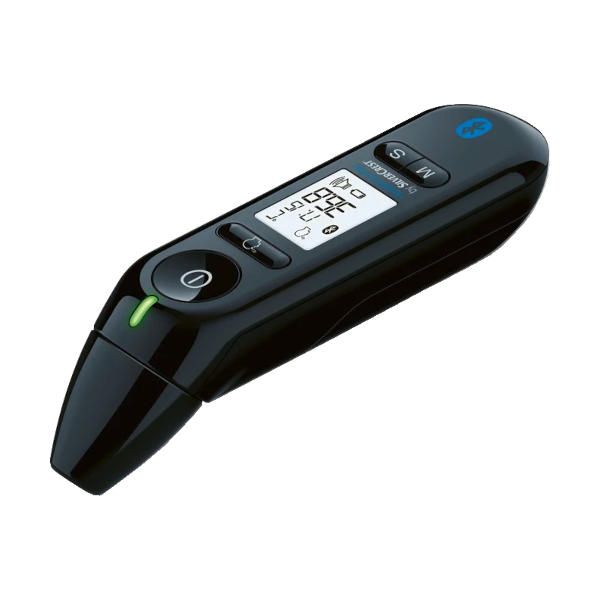
SilverCrest SFT 81 Thermometer Compatible App for iOS and Android
The SilverCrest SFT 81 smart thermometer seamlessly connects via Bluetooth to the MedM Health Diary app, allowing users to automatically capture and store their body temperature measurements with ease. Each reading taken with the SFT 81 thermometer can be transferred to the user’s smartphone or tablet, and with registration, securely backed up to the MedM Health Cloud.
In the cloud, all temperature records synced from the SilverCrest SFT 81 unit are safely encrypted and protected from unauthorized access. MedM users can enable reminders to help maintain consistent measurement routines, making day-to-day temperature tracking simple and reliable.
Premium members benefit from additional features such as configurable goals and threshold notifications, data sharing and remote temperature monitoring options, as well as synchronization with Apple Health, Google Health Connect, Samsung Health, and other health data platforms.
MedM Health


Download MedM Health:
The SilverCrest SFT 81 smart thermometer seamlessly connects via Bluetooth to the MedM Health Diary app, allowing users to automatically capture and store their body temperature measurements with ease. Each reading taken with the SFT 81 thermometer can be transferred to the user’s smartphone or tablet, and with registration, securely backed up to the MedM Health Cloud.
In the cloud, all temperature records synced from the SilverCrest SFT 81 unit are safely encrypted and protected from unauthorized access. MedM users can enable reminders to help maintain consistent measurement routines, making day-to-day temperature tracking simple and reliable.
Premium members benefit from additional features such as configurable goals and threshold notifications, data sharing and remote temperature monitoring options, as well as synchronization with Apple Health, Google Health Connect, Samsung Health, and other health data platforms.
How to Connect SilverCrest SFT 81 with MedM App
- Open the MedM Health app → select Devices from the bottom Tab Bar
- Tap the “+” button to start Bluetooth discovery
- Power on your SilverCrest SFT 81 thermometer; it will enter Bluetooth pairing mode automatically
- When the app detects “SilverCrest SFT 81,” tap on it's image and select “Add to My Devices”
- After successful pairing, a confirmation message will appear
- The device will now be listed under Devices
- Take a new temperature reading to capture data in the app
Notes: The app must be running in the foreground or background (configurable on settings) to receive new measurements.
SilverCrest SFT 81 Characteristics
More info: www.lidl.de


