Transtek BBY31-BT AFIB BPM Compatible App for iOS and Android
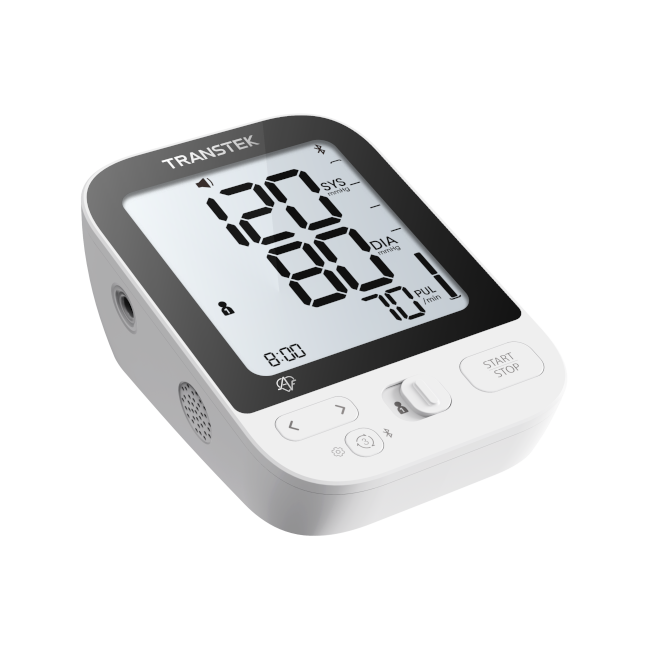
The BBY31-BT AFIB upper arm blood pressure monitor integrates with the MedM Health Diary app, allowing users to easily track, store, and manage their blood pressure readings. Measurements can be automatically transmitted to a smartphone or tablet via Bluetooth, providing quick access to data anytime. For registered users, data is also securely backed up in the encrypted MedM Health Cloud.
The device includes AFIB (atrial fibrillation) detection, helping to identify potential irregular heart rhythms during measurements, and this feature is also integrated with the app. MedM users can set reminders for regular measurements or medication intake, view results through charts, and add notes or tags to better understand their health data. Data can also be exported in CSV format for further analysis.
Premium users benefit from advanced features such as personalized goals, threshold-based notifications, PDF report generation, remote data sharing, and synchronization with major health platforms including Apple, Google, and Samsung, supporting a more comprehensive approach to health monitoring.
MedM Health


Download MedM Health:
The BBY31-BT AFIB upper arm blood pressure monitor integrates with the MedM Health Diary app, allowing users to easily track, store, and manage their blood pressure readings. Measurements can be automatically transmitted to a smartphone or tablet via Bluetooth, providing quick access to data anytime. For registered users, data is also securely backed up in the encrypted MedM Health Cloud.
The device includes AFIB (atrial fibrillation) detection, helping to identify potential irregular heart rhythms during measurements, and this feature is also integrated with the app. MedM users can set reminders for regular measurements or medication intake, view results through charts, and add notes or tags to better understand their health data. Data can also be exported in CSV format for further analysis.
Premium users benefit from advanced features such as personalized goals, threshold-based notifications, PDF report generation, remote data sharing, and synchronization with major health platforms including Apple, Google, and Samsung, supporting a more comprehensive approach to health monitoring.
How to Connect Transtek BBY31-BT AFIB with MedM App
- Open the MedM Health app → from the Tab Bar, select Devices → tap the “+” button to start Bluetooth device discovery
- Enable Bluetooth on the BBY31-BT AFIB monitor by turning it on (follow device power/start instructions) and ensure it is in pairing mode
- Once the BBY31-BT AFIB unit appears in the list of available devices → select it and confirm adding it to My Devices
- After successful pairing, a confirmation message will be shown in the app
- The BBY31-BT AFIB meter will now be visible in the Devices list as an active device
- Take a blood pressure measurement using the BBY31-BT AFIB BPM to start syncing readings to the app
Notes: The app should remain open in foreground or background (depending on settings) to receive incoming measurements via Bluetooth.
Transtek BBY31-BT AFIB Characteristics
Pulse value: ±5%;
Clinical validation: Mean difference within ±5mmHg;
Standard deviation ≤ 8mmHg


