Transtek BBY36-BT BPM Compatible App for iOS and Android
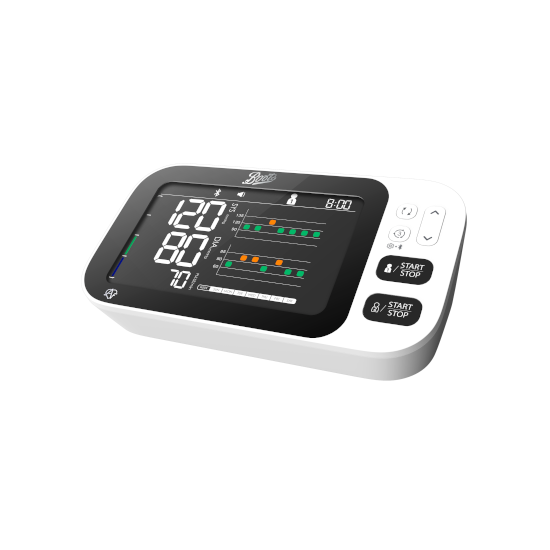
The BBY36-BT upper arm blood pressure monitor seamlessly integrates with the MedM Health Diary app, enabling effortless tracking and management of blood pressure readings. Measurements are transferred to a smartphone or tablet via Bluetooth, ensuring that data is instantly available for review. Registered users also securely store and back up their health data in the encrypted MedM Health Cloud.
The device supports irregular heartbeat (IHB) detection during measurements, helping users stay aware of potential heart rhythm irregularities. Within MedM, users can schedule reminders for measurements or medication intake, analyze results using charts, and enrich records with notes and tags. Data export in CSV format is available. Premium members gain access to advanced tools such as personalized goals, notifications, PDF reports, data sharing, and synchronization with leading health platforms including Apple, Google, and Samsung.
MedM Health


Download MedM Health:
The BBY36-BT upper arm blood pressure monitor seamlessly integrates with the MedM Health Diary app, enabling effortless tracking and management of blood pressure readings. Measurements are transferred to a smartphone or tablet via Bluetooth, ensuring that data is instantly available for review. Registered users also securely store and back up their health data in the encrypted MedM Health Cloud.
The device supports irregular heartbeat (IHB) detection during measurements, helping users stay aware of potential heart rhythm irregularities. Within MedM, users can schedule reminders for measurements or medication intake, analyze results using charts, and enrich records with notes and tags. Data export in CSV format is available. Premium members gain access to advanced tools such as personalized goals, notifications, PDF reports, data sharing, and synchronization with leading health platforms including Apple, Google, and Samsung.
How to Connect Transtek BBY36-BT with MedM App
- Open the MedM Health app → go to the Devices section from the Tab Bar → tap the “+” button to start Bluetooth scanning
- Turn on the BBY36-BT blood pressure monitor and activate its Bluetooth mode according to the device instructions
- Wait until the BBY36-BT model appears in the list of available devices in the app → select it and proceed with adding it to My Devices
- A confirmation message will appear once pairing is completed successfully
- The BBY36-BT meter will be displayed in the Devices list as connected
- Perform a measurement to verify that data is being transferred to the MedM app
Notes: The app must be running in the foreground or background (configurable on settings) to receive new measurements.
Transtek BBY36-BT Characteristics
Pulse: ±5%


