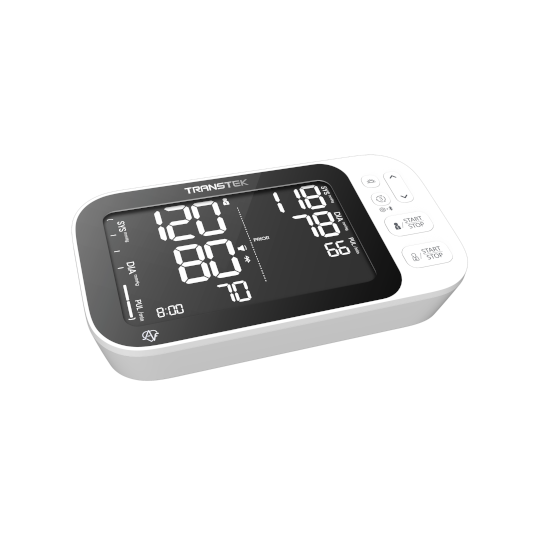
Transtek BBY36-BT Compare AFIB BPM Compatible App for iOS and Android
The BBY36-BT Compare AFIB blood pressure monitor works in combination with the MedM Health Diary app to simplify the process of tracking and managing blood pressure measurements. Readings are transmitted via Bluetooth to a connected smartphone or tablet, where they can be reviewed, organized, and securely stored in the MedM Health Cloud.
The device features AFIB (atrial fibrillation) detection and supports comparison of measurement results, helping users better understand variations between readings. MedM users can configure reminders for measurements and medications, review their data using clear visual graphs, and enrich records with tags and notes. The app also supports CSV data export for additional analysis. Premium functionality includes PDF reporting, customizable goals and notifications, data sharing capabilities, and seamless synchronization with major health services like Apple, Google, and Samsung.
MedM Health


Download MedM Health:
The BBY36-BT Compare AFIB blood pressure monitor works in combination with the MedM Health Diary app to simplify the process of tracking and managing blood pressure measurements. Readings are transmitted via Bluetooth to a connected smartphone or tablet, where they can be reviewed, organized, and securely stored in the MedM Health Cloud.
The device features AFIB (atrial fibrillation) detection and supports comparison of measurement results, helping users better understand variations between readings. MedM users can configure reminders for measurements and medications, review their data using clear visual graphs, and enrich records with tags and notes. The app also supports CSV data export for additional analysis. Premium functionality includes PDF reporting, customizable goals and notifications, data sharing capabilities, and seamless synchronization with major health services like Apple, Google, and Samsung.
How to Connect Transtek BBY36-BT Compare AFIB with MedM App
- Open the MedM Health app → navigate to Devices from the Tab Bar → tap the “+” button to initiate Bluetooth discovery
- Power on the BBY36-BT Compare AFIB meter and ensure it is ready for pairing (Bluetooth mode active according to device screen indicator)
- When the model appears in the available devices list → select it and add it to My Devices
- A successful pairing confirmation will be shown in the app
- The BPM will be listed in the Devices section as connected and ready for use
- Take a measurement to ensure proper synchronization of readings with the MedM Health app
Notes: The app must be running in the foreground or background (configurable on settings) to receive new measurements.
Transtek BBY36-BT Compare AFIB Characteristics
Pulse: ±5%


