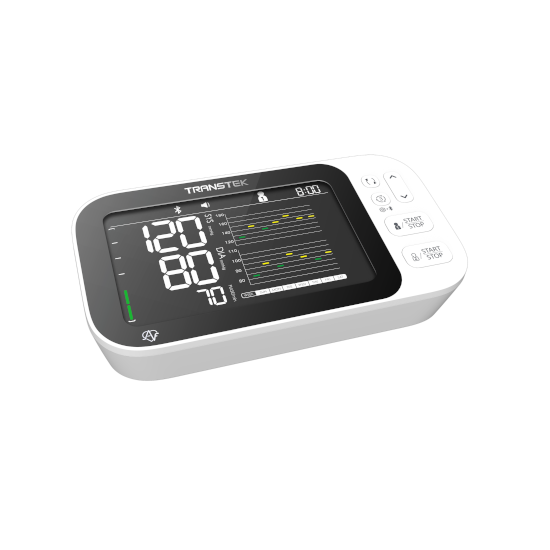
Transtek BBY36-BT Trend AFIB BPM Compatible App for iOS and Android
The BBY36-BT Trend AFIB blood pressure monitor connects with the MedM Health Diary app, providing a convenient way to collect and monitor blood pressure data over time. Using Bluetooth connectivity, measurements can be automatically synced to a mobile device, allowing users to easily track trends and changes in their readings. For registered users, data is also securely stored in the protected MedM Health Cloud.
This model includes AFIB (atrial fibrillation) detection, helping to identify possible irregular heart rhythms during measurements. The MedM platform allows users to set reminders, visualize results through charts, and add contextual notes to each reading. Data export in CSV format is also available. Premium features include customizable thresholds, PDF reporting, remote access sharing, and integration with popular health platforms such as Apple, Google, and Samsung.
MedM Health


Download MedM Health:
The BBY36-BT Trend AFIB blood pressure monitor connects with the MedM Health Diary app, providing a convenient way to collect and monitor blood pressure data over time. Using Bluetooth connectivity, measurements can be automatically synced to a mobile device, allowing users to easily track trends and changes in their readings. For registered users, data is also securely stored in the protected MedM Health Cloud.
This model includes AFIB (atrial fibrillation) detection, helping to identify possible irregular heart rhythms during measurements. The MedM platform allows users to set reminders, visualize results through charts, and add contextual notes to each reading. Data export in CSV format is also available. Premium features include customizable thresholds, PDF reporting, remote access sharing, and integration with popular health platforms such as Apple, Google, and Samsung.
How to Connect Transtek BBY36-BT Trend AFIB with MedM App
- Open the MedM Health app → navigate to Devices from the Tab Bar → tap the “+” button to initiate Bluetooth discovery
- Power on the BBY36-BT Trend AFIB device and ensure it is ready for pairing (Bluetooth mode active according to device screen indicator)
- When the unit appears in the available devices list → select it and add it to My Devices
- A successful pairing confirmation will be shown in the app
- The device will be listed in the Devices section as connected and ready for use
- Take a new measurement to ensure proper synchronization of readings with the MedM app
Notes: The app must be running in the foreground or background (configurable on settings) to receive new measurements.
Transtek BBY36-BT Trend AFIB Characteristics
Pulse: ±5%


