Welch Allyn BP Monitor 1500 Compatible App for iOS and Android
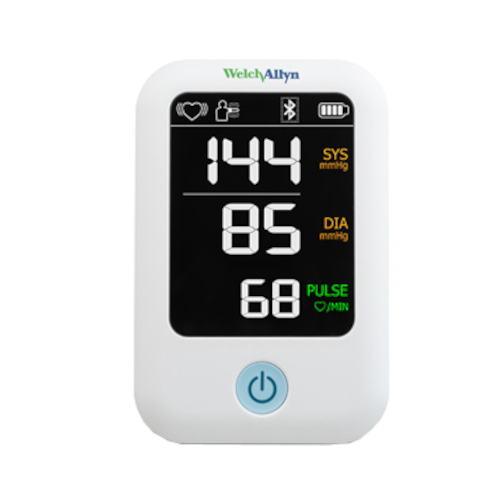
The Welch Allyn BP Monitor 1500 is an upper arm blood pressure monitor designed for reliable and straightforward daily measurements. When used with the MedM Health Diary app, it enables automatic transfer of blood pressure readings via Bluetooth to the user's phone, helping them efficiently track and organize cardiovascular data in one place.
For registered MedM users, data is also stored in the MedM Health Cloud for long-term monitoring and review. Within the MedM platform, users can view blood pressure trends on graphs, review individual measurements, and optionally add notes or tags for better context. Data can also be exported in CSV format for external use or clinical review.
For MedM Premium members, additional health management tools are available, including PDF reports, customizable goald and notifications, remote monitoring, and data sync with Apple, Google, Garmin, and Samsung ecosystems.
MedM Health


Download MedM Health:
The Welch Allyn BP Monitor 1500 is an upper arm blood pressure monitor designed for reliable and straightforward daily measurements. When used with the MedM Health Diary app, it enables automatic transfer of blood pressure readings via Bluetooth to the user's phone, helping them efficiently track and organize cardiovascular data in one place.
For registered MedM users, data is also stored in the MedM Health Cloud for long-term monitoring and review. Within the MedM platform, users can view blood pressure trends on graphs, review individual measurements, and optionally add notes or tags for better context. Data can also be exported in CSV format for external use or clinical review.
For MedM Premium members, additional health management tools are available, including PDF reports, customizable goald and notifications, remote monitoring, and data sync with Apple, Google, Garmin, and Samsung ecosystems.
How to Connect Welch Allyn BP Monitor 1500 with MedM App
- Open your MedM app and navigate to the Devices tab
- Tap the “+” button to start Bluetooth scanning
- Enable pairing mode on your Welch Allyn BP Monitor 1500 Series
- Once the monitor appears in the list of discovered Bluetooth devices in the app → select it, review device details, and tap Add to My Devices
- After successful pairing, a confirmation message will appear in the app, and the device will be added to the Devices list
- To start data synchronization, perform a new blood pressure measurement on the device
Notes: The app should remain active in foreground or background (depending on user settings) to receive incoming measurements.
Welch Allyn BP Monitor 1500 Characteristics
Pulse value: ±4%
More info: shopexamtools.hillrom.com


