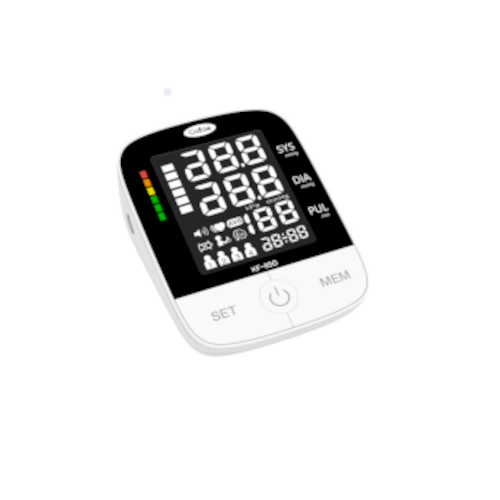
Cofoe KF-65D Blood Pressure Monitor Mobile App for iOS and Android
The Cofoe KF-65D blood pressure monitor integrates smoothly with the MedM Health Diary app via Bluetooth, allowing users to capture, log, and manage their blood pressure readings. Each measurement taken with the KF-65D monitor is synced to the user’s mobile device and, for registered users, data is also backed up to the encrypted MedM Health Cloud for long-term storage.
Users can also enable helpful reminders within the MedM app to stay consistent with daily measurements or medication routines.
MedM Premium members gain access to additional capabilities such as PDF reports, configurable notifications, goal tracking, remote monitoring features, and smooth integration with such wellness platforms as Apple Health, Google Health Connect, Samsung Health.
MedM Health


Download MedM Health:
The Cofoe KF-65D blood pressure monitor integrates smoothly with the MedM Health Diary app via Bluetooth, allowing users to capture, log, and manage their blood pressure readings. Each measurement taken with the KF-65D monitor is synced to the user’s mobile device and, for registered users, data is also backed up to the encrypted MedM Health Cloud for long-term storage.
Users can also enable helpful reminders within the MedM app to stay consistent with daily measurements or medication routines.
MedM Premium members gain access to additional capabilities such as PDF reports, configurable notifications, goal tracking, remote monitoring features, and smooth integration with such wellness platforms as Apple Health, Google Health Connect, Samsung Health.
How to Connect Cofoe KF-65D with MedM App
-
Open the app → in the bottom Tab Bar, select Devices
-
Tap the “+” button to begin Bluetooth discovery
-
Power on your KF-65D blood pressure monitor. If the device does not enter the pairing mode automatically, press and hold the Bluetooth/transfer button until the Bluetooth indicator begins flashing
-
When the app detects the KF-65D unit, tap on its mages, adjust settings if necessary, and select Add to My Devices
-
After successful pairing, the app will display a confirmation message
-
The connected KF-65D BPM will appear in your Devices list
-
Make a new measurement to collect data in the app
Cofoe KF-65D Characteristics
More info: www.cofoe.com


