Cofoe KF-B06 BGM Connected App for iOS and Android
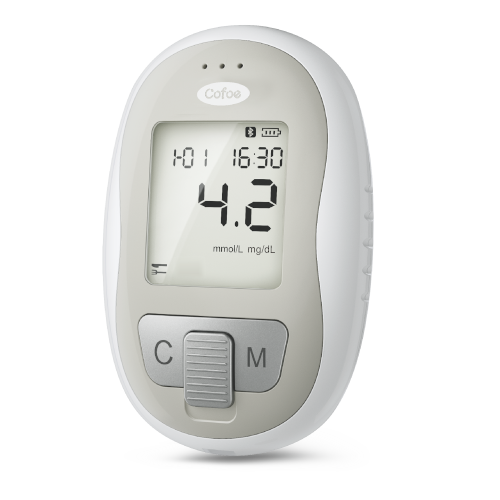
The Cofoe KF-B06 Blood Glucose Monitor is a compact, battery-powered handheld device designed for home use, allowing users to measure and monitor their blood glucose levels conveniently. The KF-B06 model can connect via Bluetooth to the MedM Health Diary app, enabling automatic capture and storage of blood glucose readings directly on a smartphone or tablet. The collected data of registered users is also securely backed up to the MedM Health Cloud.
All readings from the Cofoe KF-B06 monitor are encrypted in the cloud, ensuring that no unauthorized person can access them. Users can easily view their measurement history, export it as a file, or delete the data whenever they wish. The MedM app also supports reminders for taking glucose measurements, medications, or other health-related activities.
MedM Premium members gain access to advanced features such as sharing health data with family members or healthcare providers, threshold notifications, PDF reports, and synchronization with other health platforms including Apple Health, Google Health connect, and Samsung Health.
MedM Health


Download MedM Health:
The Cofoe KF-B06 Blood Glucose Monitor is a compact, battery-powered handheld device designed for home use, allowing users to measure and monitor their blood glucose levels conveniently. The KF-B06 model can connect via Bluetooth to the MedM Health Diary app, enabling automatic capture and storage of blood glucose readings directly on a smartphone or tablet. The collected data of registered users is also securely backed up to the MedM Health Cloud.
All readings from the Cofoe KF-B06 monitor are encrypted in the cloud, ensuring that no unauthorized person can access them. Users can easily view their measurement history, export it as a file, or delete the data whenever they wish. The MedM app also supports reminders for taking glucose measurements, medications, or other health-related activities.
MedM Premium members gain access to advanced features such as sharing health data with family members or healthcare providers, threshold notifications, PDF reports, and synchronization with other health platforms including Apple Health, Google Health connect, and Samsung Health.
How to Connect Cofoe KF-B06 with MedM App
-
Open the app → in the bottom Tab Bar, select Devices
-
Tap the “+” button to start Bluetooth discovery
-
Power on your Cofoe KF-B06 blood glucose meter. The device will automatically enter the pairing mode and the Bluetooth indicator will start flashing
-
When the app detects the Cofoe KF-B06, tap on it, configure the device settings if needed, and select Add to My Devices
-
After successful pairing, you will see a confirmation message in the app
-
The connected Cofoe KF-B06 BGM will now appear in your Devices list
-
To collect measurements: Open the Devices tab - Tap on the Cofoe KF-B06 - Select Collect Data
-
Insert a test strip, follow the on-screen prompts, and take a blood glucose reading on your device. The measurement will sync automatically
Cofoe KF-B06 Characteristics
Allowable deviation does not exceed ± 15 %at glucose concentrations ≥ 5.55 mmol/L(≥100 mg/dL).
More info: www.cofoe.com


