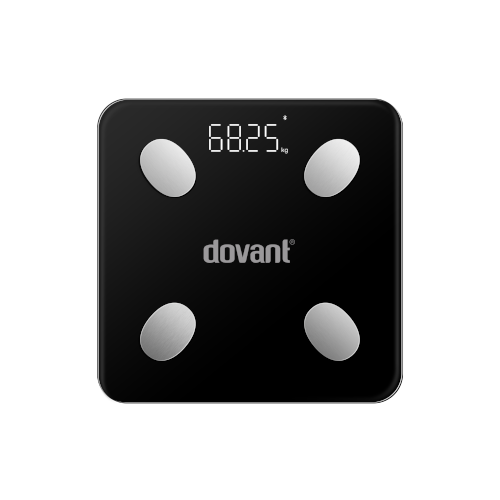
Dovant Health BIANOVA 300 Smart Scale Compatible App for iOS and Android
The Dovant Health Bianova 300 Scale is a smart body composition scale that connects seamlessly with the MedM Health App, allowing users to easily monitor and track weight, body fat, muscle mass, and other health metrics. Measurements taken on the Bianova 300 unit are transmitted via Bluetooth directly to a smartphone or tablet, and for registered users, they are also securely saved in the encrypted MedM Health Cloud for long-term tracking.
All MedM users can set reminders for weight checks, log additional health notes, visualize trends on charts, and export data in CSV format for personal or professional use. Premium members enjoy enhanced features, including customizable goals, thresholds, notifications, PDF report generation, secure data sharing with family or healthcare providers, and automatic synchronization with popular health platforms such as Apple Health, Google Health Connect, and Samsung Health.
MedM Health


Download MedM Health:
The Dovant Health Bianova 300 Scale is a smart body composition scale that connects seamlessly with the MedM Health App, allowing users to easily monitor and track weight, body fat, muscle mass, and other health metrics. Measurements taken on the Bianova 300 unit are transmitted via Bluetooth directly to a smartphone or tablet, and for registered users, they are also securely saved in the encrypted MedM Health Cloud for long-term tracking.
All MedM users can set reminders for weight checks, log additional health notes, visualize trends on charts, and export data in CSV format for personal or professional use. Premium members enjoy enhanced features, including customizable goals, thresholds, notifications, PDF report generation, secure data sharing with family or healthcare providers, and automatic synchronization with popular health platforms such as Apple Health, Google Health Connect, and Samsung Health.
How to Connect Dovant Health BIANOVA 300 with MedM App
- Open the MedM Health app → from the Tab Bar, select Devices → tap the “+” button to start Bluetooth discovery
- Enable pairing on the Bianova 300 scale: Make sure the scale is powered on, step onto the scale briefly or tap it to wake it up (the scale should activate Bluetooth automatically)
- Once the Bianova 300 unit is discovered in the app → select it, review or configure device settings if prompted, and tap Add to My Devices
- Upon successful pairing, a confirmation message will appear in the app
- The paired Bianova 300 scale will now be listed on the Devices screen
- Step onto the scale to take a measurement and sync new weight to the app
Notes: The app must be running in the foreground or background (configurable on settings) to receive new measurements.
Dovant Health BIANOVA 300 Characteristics
More info: www.grossmedica.com


