Dovant Health TENSUS 1100 BPM Compatible App for iOS and Android
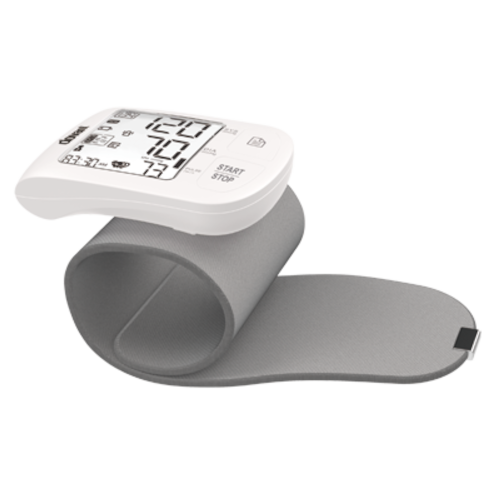
The Tensus 1100 Digital Blood Pressure Monitor is a smart and reliable device designed for convenient home monitoring of blood pressure and heart rate. When paired with the MedM Health App via Bluetooth, the Tensus 1100 BPM allows users to automatically record, track, and manage their measurements on a smartphone or tablet. For registered users, readings are also securely stored in the encrypted MedM Health Cloud, ensuring long-term data backup and safe access.
All MedM users can set reminders for regular blood pressure checks, log notes and tags for individual readings, view trends on graphs, and export data as CSV for personal or professional use. Premium members benefit from advanced health management features, including customizable thresholds and notifications, PDF report generation, secure data sharing with family or healthcare professionals, and synchronization with popular health platforms such as Apple, Google, and Samsung.
MedM Health


Download MedM Health:
The Tensus 1100 Digital Blood Pressure Monitor is a smart and reliable device designed for convenient home monitoring of blood pressure and heart rate. When paired with the MedM Health App via Bluetooth, the Tensus 1100 BPM allows users to automatically record, track, and manage their measurements on a smartphone or tablet. For registered users, readings are also securely stored in the encrypted MedM Health Cloud, ensuring long-term data backup and safe access.
All MedM users can set reminders for regular blood pressure checks, log notes and tags for individual readings, view trends on graphs, and export data as CSV for personal or professional use. Premium members benefit from advanced health management features, including customizable thresholds and notifications, PDF report generation, secure data sharing with family or healthcare professionals, and synchronization with popular health platforms such as Apple, Google, and Samsung.
How to Connect Dovant Health TENSUS 1100 with MedM App
- Open the MedM Health App → from the Tab Bar, select Devices → tap the “+” button to start Bluetooth discovery
- Enable pairing on the TENSUS 1100 monitor: Press and hold the START/STOP button until the Bluetooth symbol starts blinking
- Once the TENSUS 1100 unit appears in the app’s list of available devices: Select it - Tap Add to My Devices
- Upon successful pairing, a confirmation message will appear in the app
- The paired TENSUS 1100 model will now be listed on the Devices screen in MedM Health App
- Take a measurement on the TENSUS 1100 meter to automatically sync blood pressure readings to the app
Notes: The app must be running in the foreground or background (configurable on settings) to receive new measurements.
Dovant Health TENSUS 1100 Characteristics
More info: tumaterialmedico.com


