G-Tech GP480BT Wrist BPM Compatible App for iOS and Android
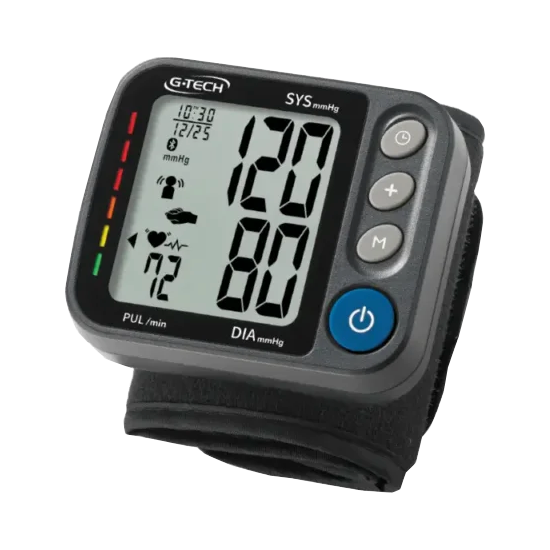
The GP480BT compact wrist Blood Pressure Monitor offers convenient and blood pressure tracking with direct integration into the MedM Health Diary app. Thanks to built-in Bluetooth connectivity, readings are instantly synced to a mobile device, helping users maintain an organized and up-to-date health log without manual input. All data can be securely backed up in the MedM Health Cloud for easy access anytime.
The MedM platform allows users to schedule reminders, visualize measurements with graphs, and add contextual notes. Premium users unlock additional capabilities such as detailed reports, customizable notifications, data sharing with caregivers, and integration with popular health platforms, making it a powerful tool for everyday health management.
MedM Health


Download MedM Health:
The GP480BT compact wrist Blood Pressure Monitor offers convenient and blood pressure tracking with direct integration into the MedM Health Diary app. Thanks to built-in Bluetooth connectivity, readings are instantly synced to a mobile device, helping users maintain an organized and up-to-date health log without manual input. All data can be securely backed up in the MedM Health Cloud for easy access anytime.
The MedM platform allows users to schedule reminders, visualize measurements with graphs, and add contextual notes. Premium users unlock additional capabilities such as detailed reports, customizable notifications, data sharing with caregivers, and integration with popular health platforms, making it a powerful tool for everyday health management.
How to Connect G-Tech GP480BT with MedM App
- Open the MedM Health app → from the Tab Bar, select Devices → tap the “+” button to start Bluetooth discovery
- Power on the GP480BT monitor; Bluetooth pairing will start automatically or when initiating a measurement
- Select the GP480BT unit from the discovered devices list → review settings and tap Add to My Devices
- After successful connection, a confirmation popup will be displayed
- The GP480BT meter will appear in your Devices list
- Perform a measurement to sync readings directly to the app
Notes: Ensure Bluetooth is enabled on your phone and the app is allowed to run in the background for automatic data transfer.
G-Tech GP480BT Characteristics
More info: accumed.com.br


