Premi TMB-2296-BT-CE BPM Connected App for iOS and Android
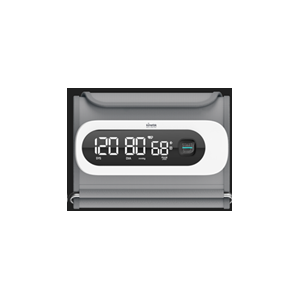
The Premi TMB-2296-BT-CE Upper Arm Blood Pressure Monitor is designed for convenient digital health tracking and can be paired with the MedM Health Diary app. Blood pressure measurements can be transferred to a smartphone or tablet via Bluetooth, helping users maintain a complete and accurate health record. Registered MedM users also store their readings securely in the encrypted MedM Health Cloud with reliable backup.
Through the MedM app, users can configure reminders for regular blood pressure monitoring or medication schedules, explore long-term trends using graphs, annotate readings with notes and tags, and export data in CSV format. Premium users unlock additional features including notifications for customizable health goals, PDF reports, secure access sharing, remote monitoring capabilities, and integration with leading platforms such as Apple, Google, and Samsung.
MedM Health


Download MedM Health:
The Premi TMB-2296-BT-CE Upper Arm Blood Pressure Monitor is designed for convenient digital health tracking and can be paired with the MedM Health Diary app. Blood pressure measurements can be transferred to a smartphone or tablet via Bluetooth, helping users maintain a complete and accurate health record. Registered MedM users also store their readings securely in the encrypted MedM Health Cloud with reliable backup.
Through the MedM app, users can configure reminders for regular blood pressure monitoring or medication schedules, explore long-term trends using graphs, annotate readings with notes and tags, and export data in CSV format. Premium users unlock additional features including notifications for customizable health goals, PDF reports, secure access sharing, remote monitoring capabilities, and integration with leading platforms such as Apple, Google, and Samsung.
How to Connect Premi TMB-2296-BT-CE with MedM App
- Open the MedM Health app → go to Devices → tap the “+” button to initiate Bluetooth discovery
- Put the TMB‑2296‑BT‑CE monitor in pairing mode by pressing and holding the START/STOP button until the Bluetooth icon flashes
- When TMB‑2296‑BT‑CE model appears in the app → select it, configure settings if needed, and tap Add to My Devices
- A confirmation popup will appear once pairing is successful
- The paired TMB‑2296‑BT‑CE monitor will now be visible in the Devices screen
- Perform a measurement on the TMB‑2296‑BT‑CE unit to collect readings in the app
Notes: The MedM app must run in the foreground or background to receive measurements.
Premi TMB-2296-BT-CE Characteristics
Pulse value: ±5%
Clinical validation: Mean difference within ±5mmHg
Standard deviation≤8mmHg
More info: premi.sa


