ProMedica Bangle BPM Connect Compatible App for iOS and Android
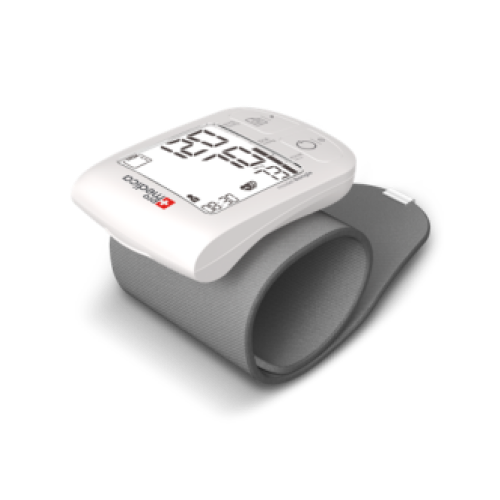
The Promedica Bangle Wrist Blood Pressure Monitor seamlessly integrates with the MedM Health Diary app, enabling effortless tracking and long-term management of blood pressure and pulse readings. Once a measurement is taken, the results are automatically transferred to a smartphone or tablet via Bluetooth, eliminating the need for manual data entry. Registered users can securely store and back up their measurements in the encrypted MedM Health Cloud for reliable access at any time.
With MedM, users can schedule reminders for blood pressure checks or medication intake, review trends through interactive charts with optional data aggregation, add personal notes and tags to each reading, and export measurement history in CSV format. Premium members gain access to advanced health management tools, including personalized goals, thresholds, smart notifications, PDF report export, secure data sharing with family members, and remote health monitoring. The app also supports synchronization with leading health ecosystems such as Apple Health, Google Fit, and Samsung Health, providing a complete and connected health experience.
MedM Health


Download MedM Health:
The Promedica Bangle Wrist Blood Pressure Monitor seamlessly integrates with the MedM Health Diary app, enabling effortless tracking and long-term management of blood pressure and pulse readings. Once a measurement is taken, the results are automatically transferred to a smartphone or tablet via Bluetooth, eliminating the need for manual data entry. Registered users can securely store and back up their measurements in the encrypted MedM Health Cloud for reliable access at any time.
With MedM, users can schedule reminders for blood pressure checks or medication intake, review trends through interactive charts with optional data aggregation, add personal notes and tags to each reading, and export measurement history in CSV format. Premium members gain access to advanced health management tools, including personalized goals, thresholds, smart notifications, PDF report export, secure data sharing with family members, and remote health monitoring. The app also supports synchronization with leading health ecosystems such as Apple Health, Google Fit, and Samsung Health, providing a complete and connected health experience.
How to Connect ProMedica Bangle with MedM App
- Open the MedM Health app → navigate to the Devices tab → tap the “+” icon to begin Bluetooth scanning
- Enable pairing mode on the Promedica Bangle: press and hold the START/STOP button until the Bluetooth symbol blinks
- When the Bangle device shows up in the app → tap it, check or configure device preferences if needed, then select Add to My Devices
- A confirmation popup will appear once pairing is completed successfully
- The Promedica Bangle will now be displayed in the Devices screen of the app
- Perform a measurement on the Bangle to sync new readings with MedM
Note: Ensure the MedM app is running and has permissions enabled to automatically receive new readings.
ProMedica Bangle Characteristics
More info: promedica.com.ua


