Joytech DMT-4735B Digital Thermometer App for iOS and Android
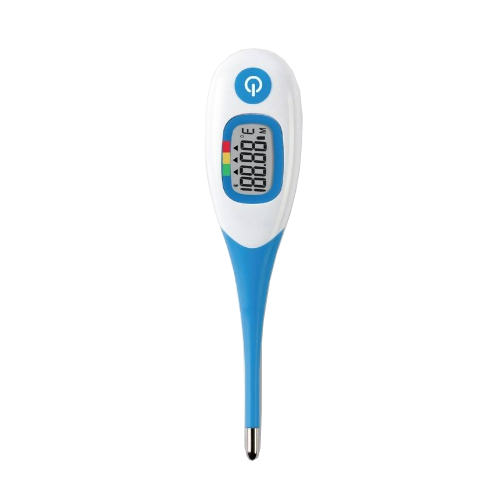
The Joyech DMT-4735B Bluetooth Backlight Digital Oral Thermometer for Baby and Adult by Sejoy works with the MedM Health Diary app to provide a seamless way to record and manage body temperature measurements. Temperature readings from the DMT-4735B unit can be instantly transmitted to a smartphone or tablet via Bluetooth, allowing users to track temperature trends over time. Registered users’ data is securely stored in the encrypted MedM Health Cloud for easy backup and access.
Through the MedM app, users can set reminders for temperature checks, monitor trends in charts with customizable timeframes, add notes to each reading, and export data in CSV format.
Premium members can take advantage of enhanced features, including personalized health thresholds, goal tracking, PDF reports, shared access, remote monitoring, and integration with Apple Health, Google Health Connect, and Samsung Health for a comprehensive health management experience.
MedM Health


Download MedM Health:
The Joyech DMT-4735B Bluetooth Backlight Digital Oral Thermometer for Baby and Adult by Sejoy works with the MedM Health Diary app to provide a seamless way to record and manage body temperature measurements. Temperature readings from the DMT-4735B unit can be instantly transmitted to a smartphone or tablet via Bluetooth, allowing users to track temperature trends over time. Registered users’ data is securely stored in the encrypted MedM Health Cloud for easy backup and access.
Through the MedM app, users can set reminders for temperature checks, monitor trends in charts with customizable timeframes, add notes to each reading, and export data in CSV format.
Premium members can take advantage of enhanced features, including personalized health thresholds, goal tracking, PDF reports, shared access, remote monitoring, and integration with Apple Health, Google Health Connect, and Samsung Health for a comprehensive health management experience.
How to Connect Joytech DMT-4735B with MedM App
- Open the MedM Health app → select Devices from the Tab Bar → tap the "+" button to start Bluetooth discovery
- Turn on the DMT‑4735B unit by pressing the power button
- Wait for the device to appear in the app’s device list
- Select DMT‑4735B, adjust device settings if available, and tap Add to My Devices
- A confirmation popup will appear once pairing is successful
- The DMT‑4735B thermometer will be listed under My Devices
- Take a measurement to record new data in the app
Note: The app must be running in foreground or background (configurable in settings) to receive new readings.
Joytech DMT-4735B Characteristics
±0.1℃(±0.2℉) during T<35.50℃(95.90℉)
or T>42.00℃(107.60℉)
More info: www.sejoygroup.com


