Joytech XM-101 Pulse Oximeter App for iOS and Android
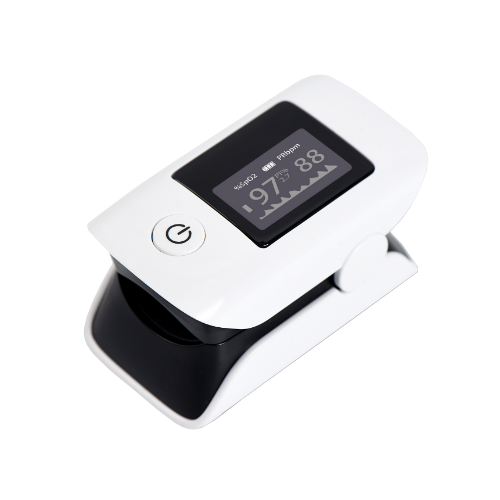
The Joytech XM-101 Pulse Oximeter by Sejoy connects effortlessly with the MedM Health Diary app to monitor blood oxygen saturation (SpO₂) and pulse rate. Data from the XM-101 pulse ox can be sent via Bluetooth to smartphones and tablets, from where registered users can also securely store it in the MedM Health Cloud, ensuring privacy and backup protection.
Within the MedM app, users can schedule SpO₂ and/or pulse check reminders, view historical trends on graphs, attach notes and tags, and export readings as CSV files.
Premium members gain access to additional health management capabilities, including customizable notifications, goal setting, PDF report generation, shared access with caregivers, remote monitoring, and synchronization with Apple Health, Google Health Connect, and Samsung Health for a unified health tracking experience.
MedM Health


Download MedM Health:
The Joytech XM-101 Pulse Oximeter by Sejoy connects effortlessly with the MedM Health Diary app to monitor blood oxygen saturation (SpO₂) and pulse rate. Data from the XM-101 pulse ox can be sent via Bluetooth to smartphones and tablets, from where registered users can also securely store it in the MedM Health Cloud, ensuring privacy and backup protection.
Within the MedM app, users can schedule SpO₂ and/or pulse check reminders, view historical trends on graphs, attach notes and tags, and export readings as CSV files.
Premium members gain access to additional health management capabilities, including customizable notifications, goal setting, PDF report generation, shared access with caregivers, remote monitoring, and synchronization with Apple Health, Google Health Connect, and Samsung Health for a unified health tracking experience.
How to Connect Joytech XM-101 with MedM App
- Open the MedM Health app → go to Devices → tap the "+" button to begin Bluetooth discovery
- Turn on the XM‑101 unit and hold the power button until it enters the pairing mode, as indicated in the manual
- Wait for the pulse oximeter to be discovered by the app
- Select XM‑101, configure device settings, and tap Add to My Devices
- A confirmation popup will appear after successful pairing
- The XM‑101 monitor will now be listed on the Devices screen
- Place your finger in the XM‑101 sensor and make a measurement to collect new data in the app
Note: The app must remain running in foreground or background to receive live readings.
Joytech XM-101 Characteristics
More info: www.sejoygroup.com


