Trister TS 355BPIS BPM Compatible App for iOS and Android
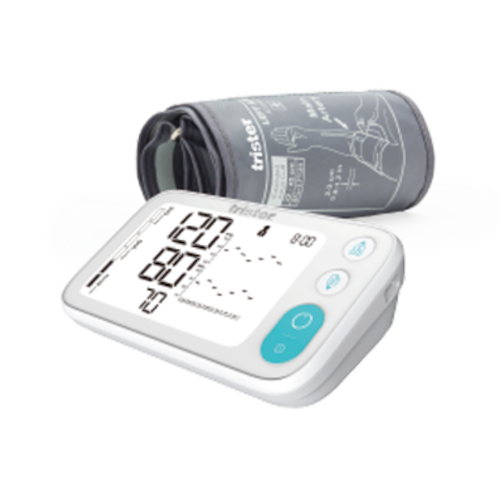
The Trister TS 355BPIS Upper Arm Blood Pressure Monitor integrates seamlessly with the MedM Health Diary app, enabling users to effortlessly track, organize, and monitor their blood pressure readings. Measurements taken with the TS 355BPIS can be transmitted instantly to a smartphone or tablet via Bluetooth, and for registered users, can be securely saved and backed up in the encrypted MedM Health Cloud.
All MedM users can set personalized reminders for blood pressure checks or medication schedules, view their readings in detailed graphs with options for aggregation, add notes or tags to measurements, and export data in CSV format. Premium members gain access to advanced health management tools, including custom thresholds and notifications, PDF reports, shared access for family or caregivers, remote health monitoring, and synchronization with major health platforms like Apple, Google, and Samsung.
MedM Health


Download MedM Health:
The Trister TS 355BPIS Upper Arm Blood Pressure Monitor integrates seamlessly with the MedM Health Diary app, enabling users to effortlessly track, organize, and monitor their blood pressure readings. Measurements taken with the TS 355BPIS can be transmitted instantly to a smartphone or tablet via Bluetooth, and for registered users, can be securely saved and backed up in the encrypted MedM Health Cloud.
All MedM users can set personalized reminders for blood pressure checks or medication schedules, view their readings in detailed graphs with options for aggregation, add notes or tags to measurements, and export data in CSV format. Premium members gain access to advanced health management tools, including custom thresholds and notifications, PDF reports, shared access for family or caregivers, remote health monitoring, and synchronization with major health platforms like Apple, Google, and Samsung.
How to Connect Trister TS 355BPIS with MedM App
- Open the MedM Health app → from the Tab Bar, select Devices → tap the “+” button to start Bluetooth discovery
- Enable pairing on the TS 355BPIS meter: press and hold the START/STOP button until the Bluetooth symbol starts blinking on the display
- Once the TS 355BPIS monitor is discovered in the app → select it, review or configure device settings, and then tap Add to My Devices
- Upon successful pairing, a confirmation popup will appear
- The paired TS 355BPIS unit will now be listed on the Devices screen
- Make a measurement on the TS 355BPIS blood pressure monitor to collect new readings in the app
Notes: Ensure the MedM Health app is running (foreground or background) to receive new measurements.


