Wellue Fingertip Pulse Oximeter App for iOS and Android
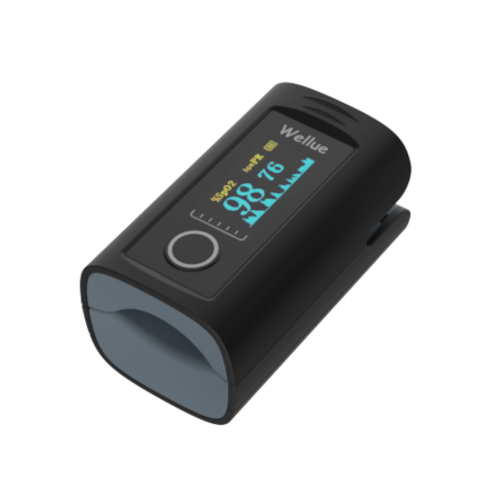
The Wellue Bluetooth fingertip pulse oximeter integrates seamlessly with the MedM Health Diary app, providing reliable SpO₂ and pulse rate tracking. All readings are transmitted via Bluetooth in real time and automatically stored in the user's health record directly on their smartphone. For registered users, the data is also backed up to the MedM Health Cloud, ensuring encrypted, secure, and convenient long-term data access.
The MedM app enables users to visualize measurements on detailed graphs, attach notes, and set reminders for regular monitoring. All users can export their data as a CSV file and send it over email
Premium members additionally benefit from advanced features such as personalized thresholds, PDF health reports, remote data sharing and monitoring, as well as synchronization with Apple, Google, and Samsung Health, delivering a complete and secure health tracking experience.
MedM Health


Download MedM Health:
The Wellue Bluetooth fingertip pulse oximeter integrates seamlessly with the MedM Health Diary app, providing reliable SpO₂ and pulse rate tracking. All readings are transmitted via Bluetooth in real time and automatically stored in the user's health record directly on their smartphone. For registered users, the data is also backed up to the MedM Health Cloud, ensuring encrypted, secure, and convenient long-term data access.
The MedM app enables users to visualize measurements on detailed graphs, attach notes, and set reminders for regular monitoring. All users can export their data as a CSV file and send it over email
Premium members additionally benefit from advanced features such as personalized thresholds, PDF health reports, remote data sharing and monitoring, as well as synchronization with Apple, Google, and Samsung Health, delivering a complete and secure health tracking experience.
How to Connect Wellue Fingertip Pulse Oximeter with MedM App
- Open the MedM Health app → from the bottom tab bar, select Devices
- Tap the “+” button to start Bluetooth discovery
- Turn on your Wellue pulse oximeter — the Bluetooth indicator will start flashing, indicating that the device is ready to pair
- Wait until PC-60FW model appears in the list of discovered hardware, then select it and tap Add to My Devices
- Confirm any Bluetooth pairing prompt that appears on your smartphone or tablet
- When pairing is successful, a confirmation message will appear, and the PC-60FW monitor will be listed on the Devices screen
- Place your finger into the oximeter probe to collect more data in the app
Notes: The app must be running in the foreground or background (configurable on settings) to receive new measurements.
Wellue Fingertip Pulse Oximeter Characteristics
More info: getwellue.com


