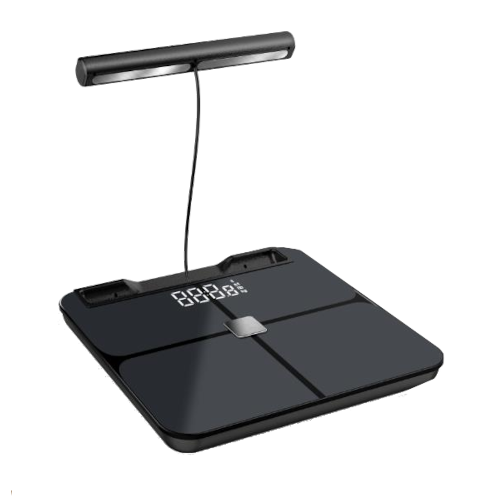
Conmo BCA-381BC 8 Electrodes Body Composition Analyzer App for iOS and Android
The BCA-381BC eight electrodes body composition analyzer by Conmo is integrated with the MedM Health Diary app. Body weight and composition readings can be automatically captured from the BCA-381BC meter via Bluetooth and saved to the user's personal MedM health record on their smartphone or tablet and, with a registered MedM account, backed up to MedM Health Cloud.
Users have full control of their data — all measurements stored in the cloud are encrypted, and data stored on the phone can be exported as files, shared via email, or deleted at any time. The MedM app also supports reminders for regular weigh-ins and medication/vitamin tracking.
Additionally, Premium members have access to advanced features such as configurable goals, thresholds, and notifications, data sharing and remote monitoring capabilities, as well as synchronization with Apple, Google, Samsung, and other health data ecosystems.
MedM Health


Download MedM Health:
The BCA-381BC eight electrodes body composition analyzer by Conmo is integrated with the MedM Health Diary app. Body weight and composition readings can be automatically captured from the BCA-381BC meter via Bluetooth and saved to the user's personal MedM health record on their smartphone or tablet and, with a registered MedM account, backed up to MedM Health Cloud.
Users have full control of their data — all measurements stored in the cloud are encrypted, and data stored on the phone can be exported as files, shared via email, or deleted at any time. The MedM app also supports reminders for regular weigh-ins and medication/vitamin tracking.
Additionally, Premium members have access to advanced features such as configurable goals, thresholds, and notifications, data sharing and remote monitoring capabilities, as well as synchronization with Apple, Google, Samsung, and other health data ecosystems.
How to Connect Conmo BCA-381BC with MedM App
- Open the app -> from the Tab Bar select Devices -> tap the "+" button to start Bluetooth discovery
- Step on your BCA-381BC unit to put it in pairing mode
- Once the BCA-381BC scale is discovered by the app - select it, configure device settings, and tap Add to My Devices
- Upon successful pairing a corresponding popup will appear
- The paired BCA-381BC body analyzer will be listed on the Devices screen
- Make a new measurement on the Conmo BCA-381BC Weight Scales to collect data in the app
Please note that the app has to be running in foreground or background (configurable in settings) to receive new readings from the meter.
Conmo BCA-381BC Characteristics
More info: www.conmo.com


