Google Pixel Watch Series Compatible with MedM Platform via Health Connect
Data recorded by Google Pixel Watch series can be synced with the MedM platform, including the all-in-one MedM Health Diary app. Health and wellness data recorded by the watch can be synchronized via Google Health Connect and securely stored in the MedM app (data synchronization features require MedM Premium), where it becomes available for structured tracking, visualization, and export.
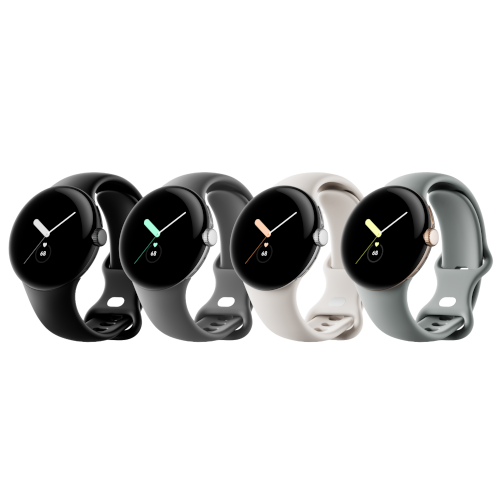
The Google Pixel Watch, developed by Google, uses the Fitbit app for health and wellness tracking and supports continuous monitoring of multiple physiological parameters. These include heart rate, sleep, activity, and additional health metrics such as blood oxygen saturation (SpO₂) heart rate variability, and others.
When connected through Google Health Connect, supported data types can be automatically imported into the user's MedM health record. Imported measurements can be viewed as history logs and charts, exported as files, and even synced with other ecosystems, such as Samsung and Apple.
MedM enables consolidation of data from Google Pixel Watch alongside measurements from 900+ compatible Bluetooth-enabled medical and wellness devices, as well as manually entered records, and data captured from other ecosystems. Registered MedM users may also choose to synchronize their data with the encrypted MedM Health Cloud for backup and cross-device access.
MedM Premium members can access additional features such as threshold-based notifications, data sharing for remote monitoring, and PDF reporting.
MedM Health


Download MedM Health:
Data recorded by Google Pixel Watch series can be synced with the MedM platform, including the all-in-one MedM Health Diary app. Health and wellness data recorded by the watch can be synchronized via Google Health Connect and securely stored in the MedM app (data synchronization features require MedM Premium), where it becomes available for structured tracking, visualization, and export.
The Google Pixel Watch, developed by Google, uses the Fitbit app for health and wellness tracking and supports continuous monitoring of multiple physiological parameters. These include heart rate, sleep, activity, and additional health metrics such as blood oxygen saturation (SpO₂) heart rate variability, and others.
When connected through Google Health Connect, supported data types can be automatically imported into the user's MedM health record. Imported measurements can be viewed as history logs and charts, exported as files, and even synced with other ecosystems, such as Samsung and Apple.
MedM enables consolidation of data from Google Pixel Watch alongside measurements from 900+ compatible Bluetooth-enabled medical and wellness devices, as well as manually entered records, and data captured from other ecosystems. Registered MedM users may also choose to synchronize their data with the encrypted MedM Health Cloud for backup and cross-device access.
MedM Premium members can access additional features such as threshold-based notifications, data sharing for remote monitoring, and PDF reporting.
How to Connect Google Pixel Watch Series with MedM App
Important: Syncing data from Google Pixel Watch requires a MedM Premium Membership.
Google Pixel Watch stores health and wellness data in the Fitbit app. To synchronize this data with the MedM Health Diary app, it must first be shared with Google Health Connect.
Before starting, ensure that:
- Your Google Pixel Watch is paired with your Android smartphone
- The Fitbit app is installed, set up, and actively collecting data
- Google Health Connect is installed and enabled
To enable data synchronization with your MedM app, follow these steps:
- Open the MedM app
- Go to the app menu
- Select Data Sync
- Choose Health Connect from the list
- Select the data types you want to synchronize
- Grant all required permissions to allow data access
Once setup is complete, data collected by the Google Pixel Watch will be automatically transferred via Fitbit and Health Connect into MedM and continuously updated. Synchronization settings, permissions, and data types can be managed at any time in the Fitbit app, Health Connect, or MedM app settings.
Google Pixel Watch Series Characteristics
More info: store.google.com


